Scan Canada

Case Study

Scan Canada is an app I designed that lets people scan products and instantly check if they’re made in Canada. The idea was to create something quick, easy, and fun to use while also helping shoppers support local businesses. I focused on keeping the design modern and clean with bold Canadian branding so the app feels trustworthy and simple.
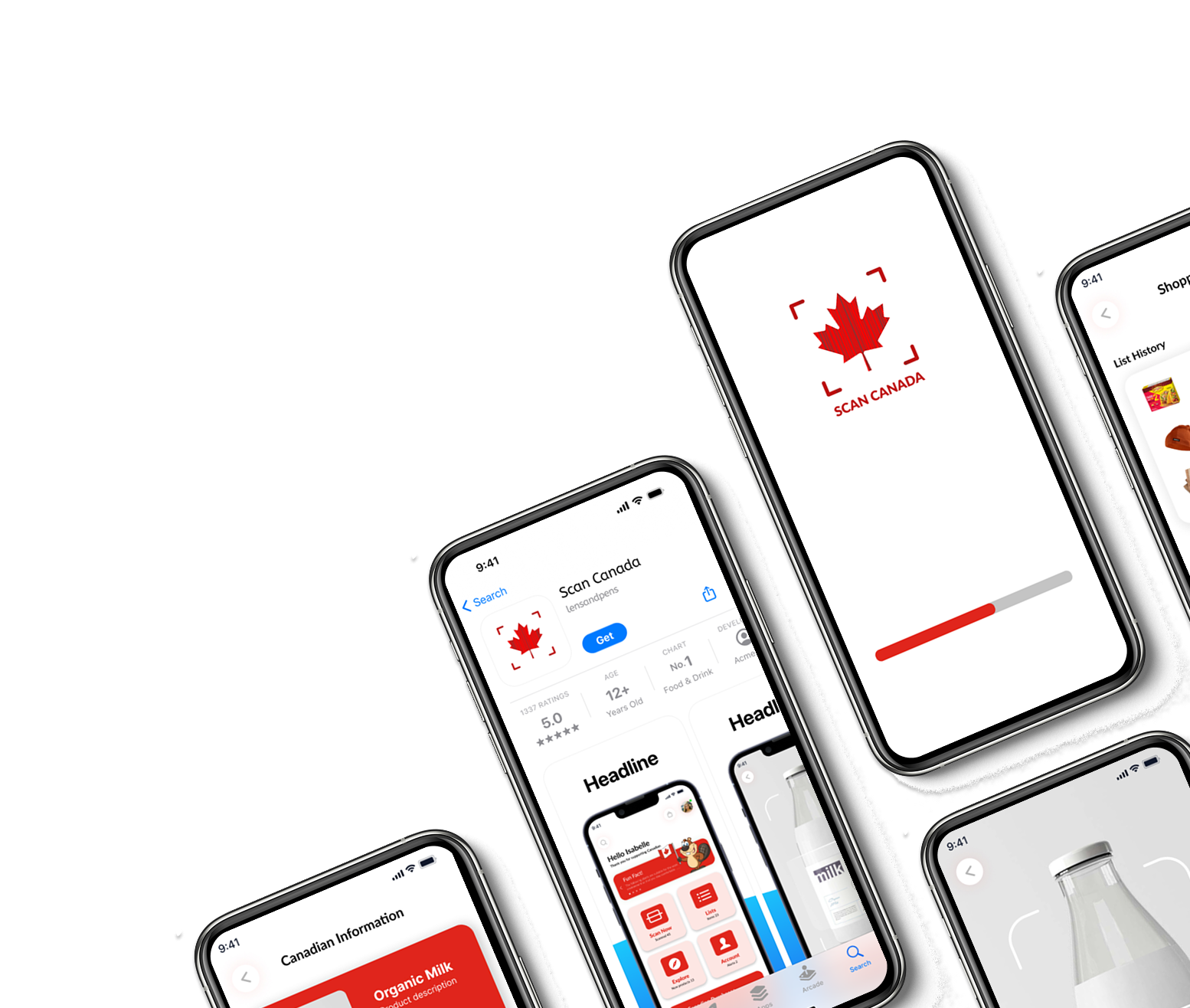

Multiple smartphones displaying the Scan Canada app with a red Canadian maple leaf logo, scanning screen, and product information screens.

Emma Walton

App Design

The Challenge

Main Challenge
The challenge was to design a mobile experience that made shopping for Canadian-made products both effortless and engaging. Many shoppers want to support local businesses but struggle to quickly identify whether a product is truly Canadian.


Key Goals

  • Make scanning as simple as opening the camera.

  • Show product breakdowns clearly (like ingredients, sourcing, and branding).

  • Keep the interface approachable and friendly so people actually enjoy using it.

Orange circle with a black checkmark inside
Yellow background with a black check mark inside a circle.
A digital Kanban board with three sections: 'List Management and Scanning Features' in purple, 'Features for Product Information' in blue, and 'Product Categorization and Information' in green. Each section contains sticky notes with features and descriptions.

Research

I looked into shopping apps, barcode scanners, and how people decide what “Canadian-made” actually means. The biggest takeaway was: speed and clarity matter most.

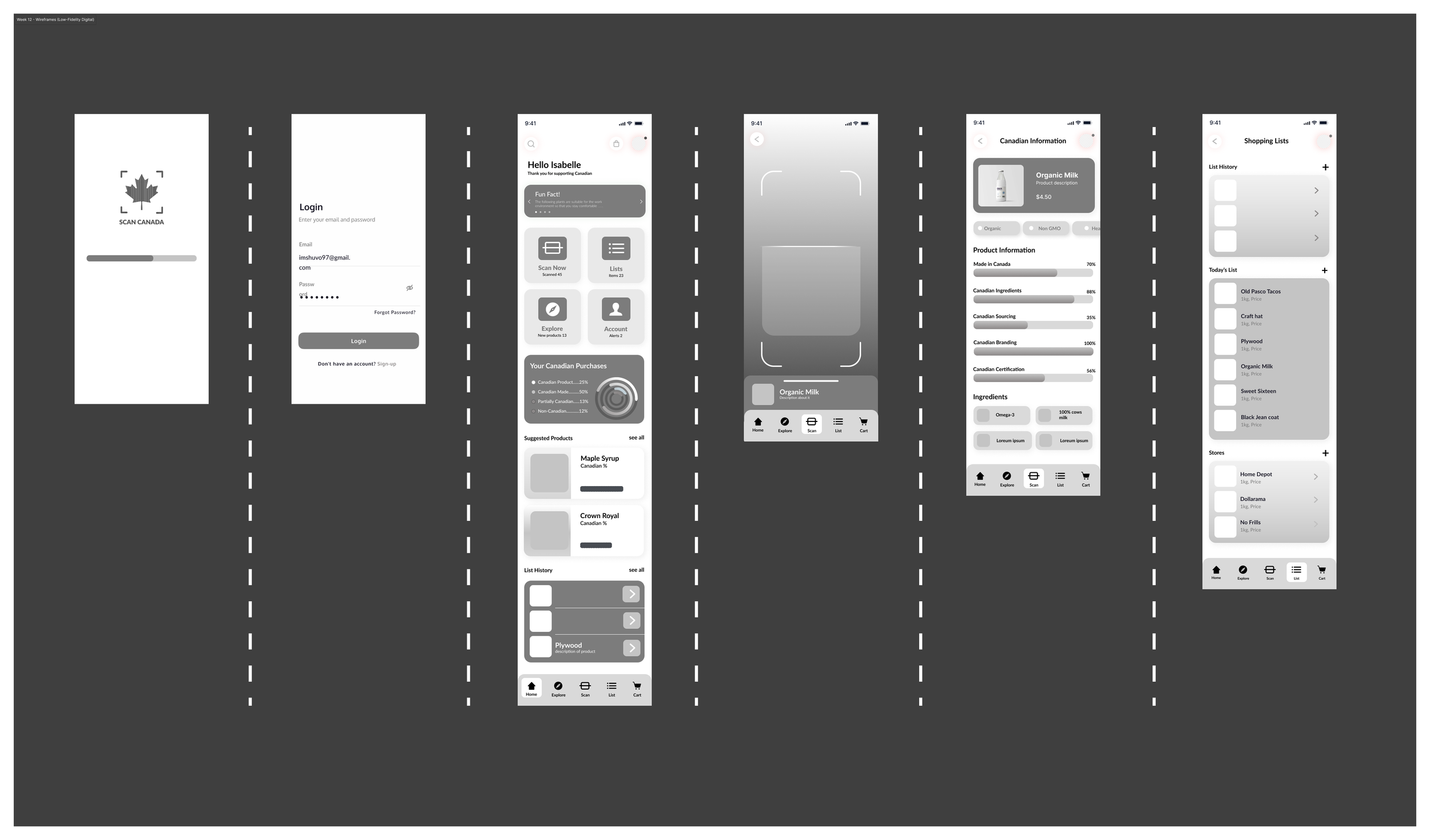
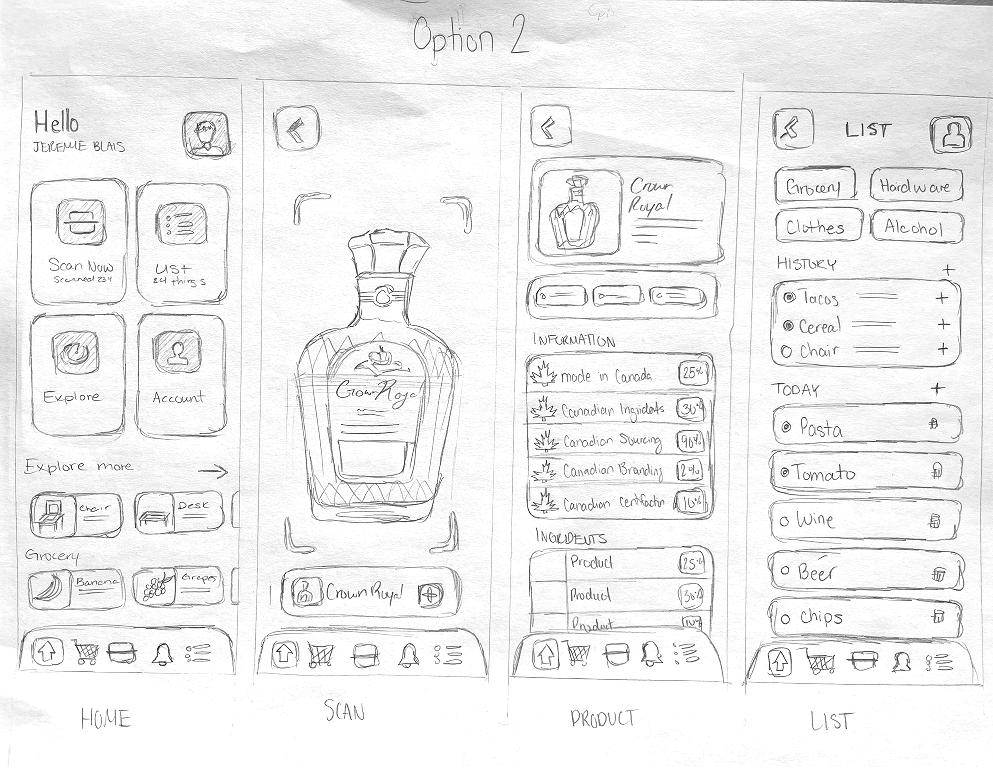
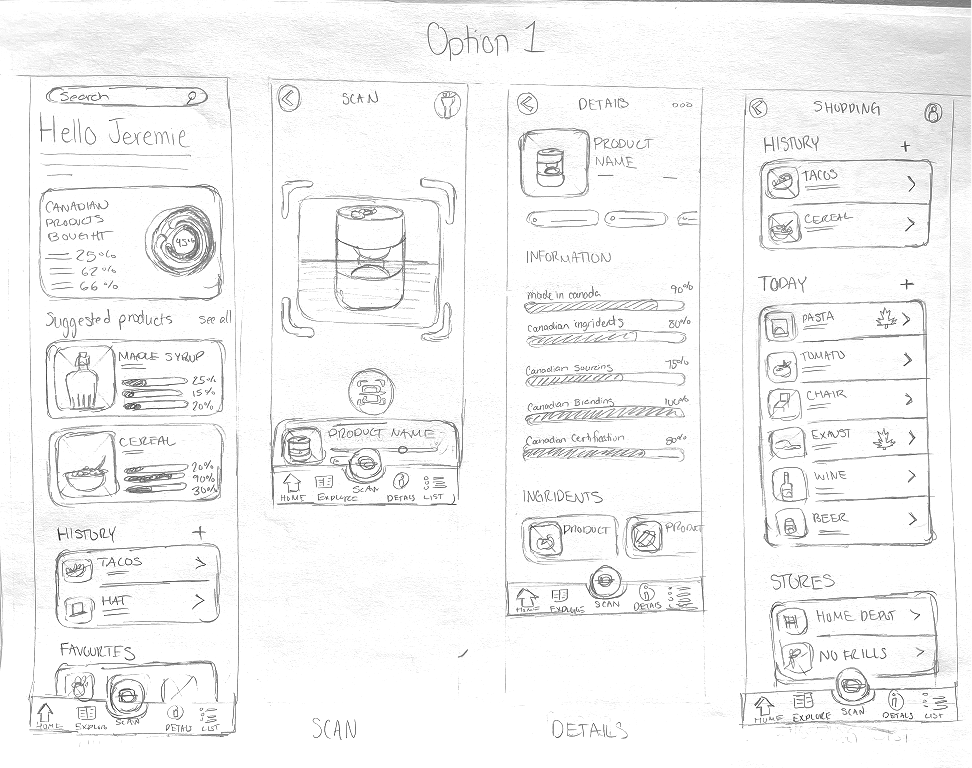
Ideation: I sketched out quick wireframes for scanning, lists, and dashboards. I wanted to make sure all the main features were just one tap away.

Flowchart diagram illustrating an online shopping process, including steps for searching, scanning, viewing product details, managing shopping lists, syncing with a grocery app, and process flow for processing user actions.
Hand-drawn wireframes of a mobile app for grocery and product tracking. The sketches include screens for search, scanning products, viewing product details, shopping list with history and today’s items, stores, and favorite products.
Hand-drawn sketches of a grocery shopping app interface, showing screens for home, scan, product details, and lists, including icons, categories, and product information.

The Solution

The Final
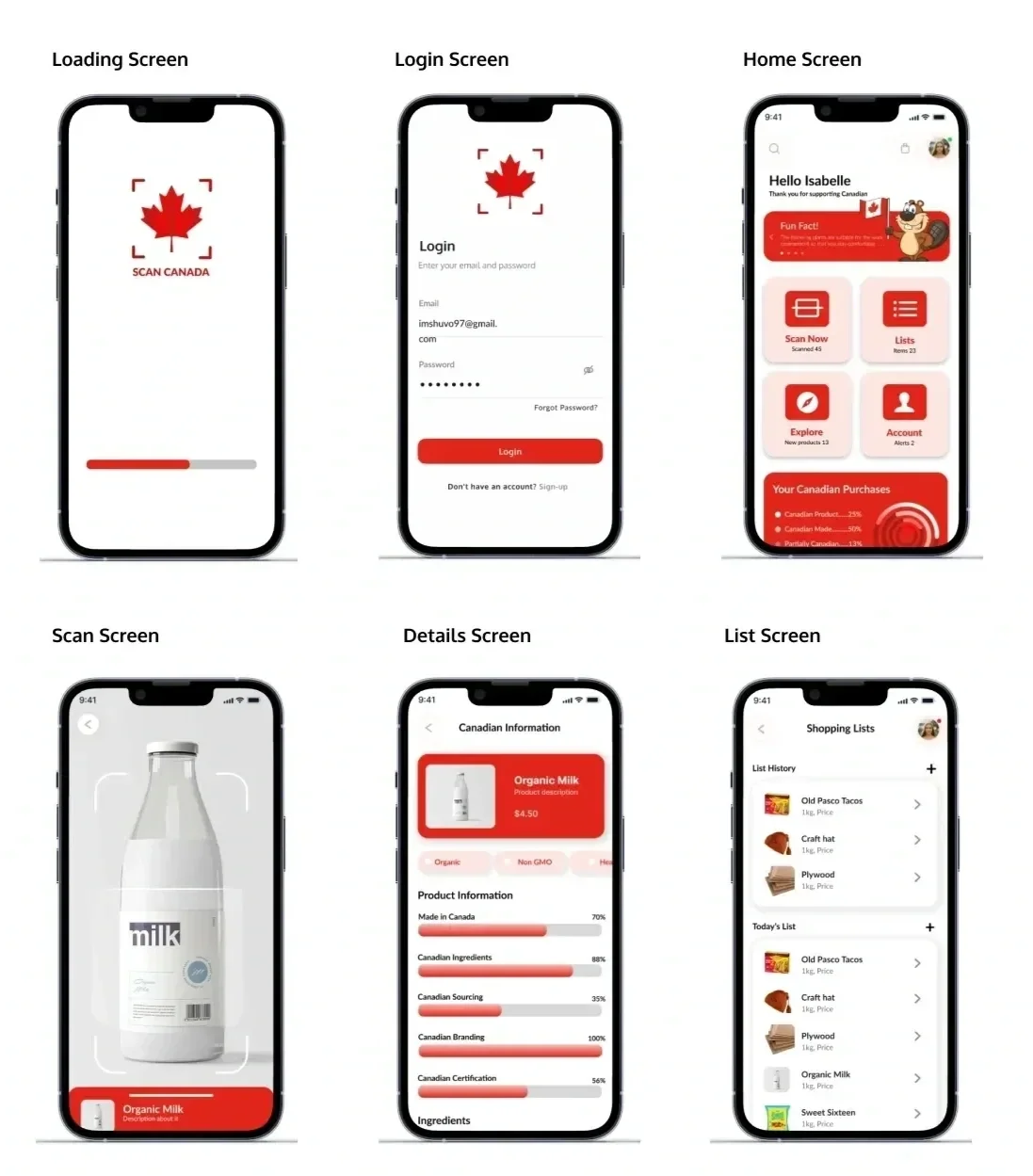
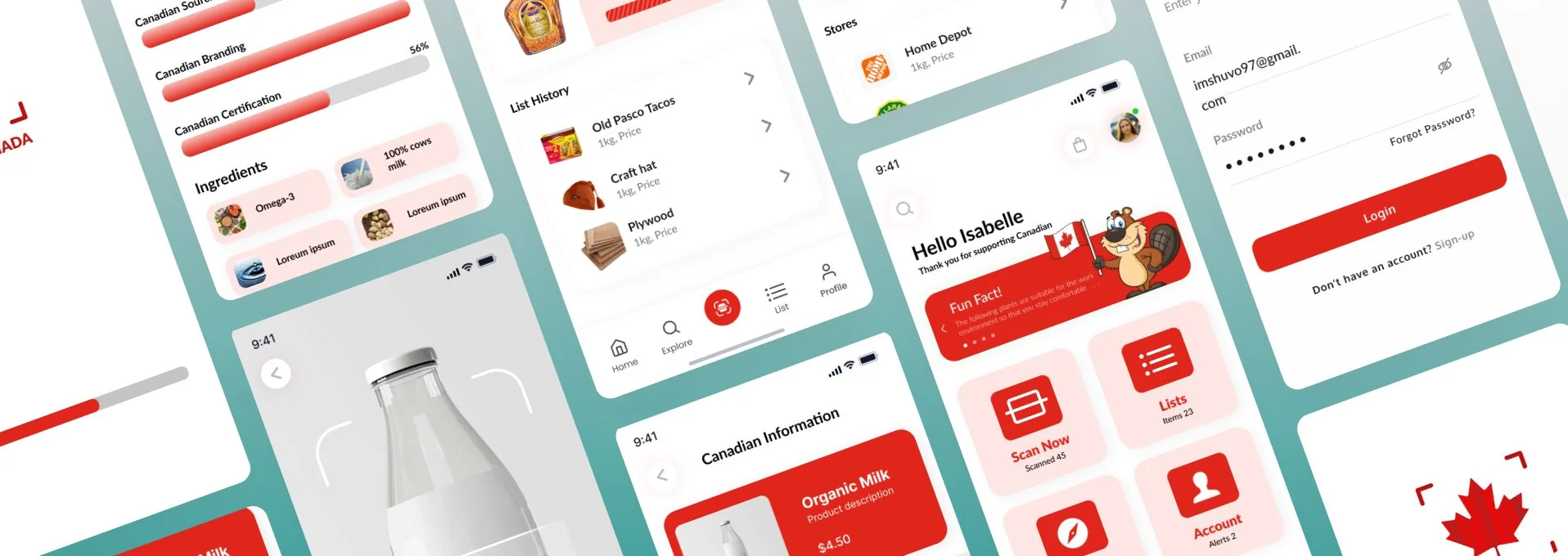
The final design showcases:

  • Loading & Login Screens with a strong Canadian identity (maple leaf logo, red accents).

  • Home Dashboard with shortcuts to scanning, lists, account, and fun facts.

  • Scan Screen with a camera overlay for quick product scanning.

  • Details Screen breaking down Canadian origin categories (ingredients, sourcing, branding, certification).

  • List Screen for saving and tracking shopping history.


Everything was designed to feel quick and rewarding. The app gives shoppers confidence while staying true to a friendly, Canadian vibe.
The final design showcases:


Execution
I built the screens in Figma, using strong reds, clean layouts, and a few playful elements. I tested different layouts for the details screen until the progress bars and percentage breakdowns felt easy to scan at a glance.

A gold checkmark inside a circle on an orange background.
Orange circular background with a white checkmark in the center.
A guide showing the screens of a mobile app designed for scanning products to verify if they are made in Canada. The screens include loading, login, home, scan, product details, and shopping list, each illustrating different features of the app.